
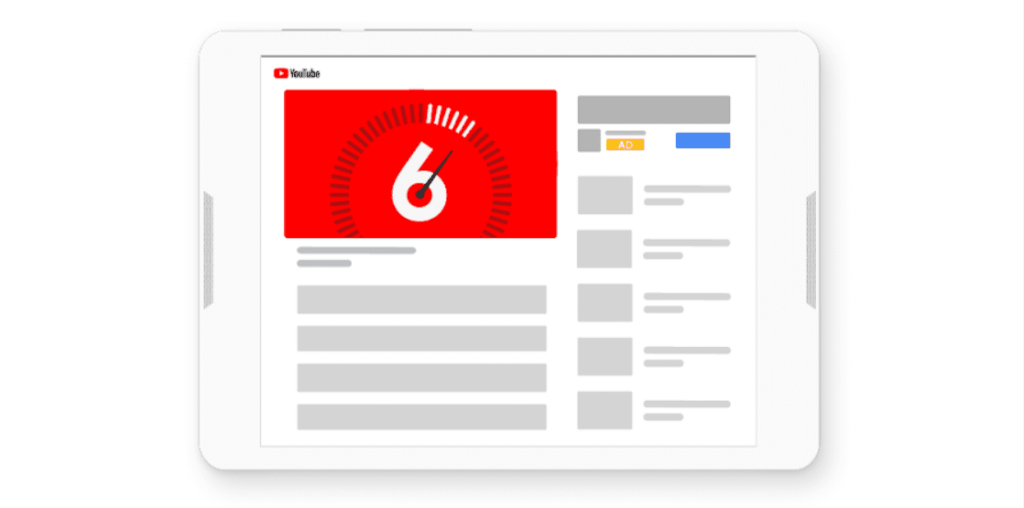
Running YouTube ads through the Google Ads infrastructure is one of the most effective ways to reach millions of people with your video content. Through YouTube ads, your videos can be shown to broad audiences both within the YouTube platform and across Google’s video partner sites. These ads can play before the video a user wants to watch or appear at the top of YouTube search results. Understanding YouTube ad formats in detail before you start advertising directly impacts your campaign’s success.
What Are the Types of YouTube Ads?
- Skippable in-stream ads (TrueView In-Stream Ads)
- Non-skippable in-stream ads
- Bumper ads
- Masthead ads
Before launching your first YouTube ad campaign, it’s essential to understand how each ad type works and when it should be used. This way, you can allocate your ad budget most efficiently. Let’s examine these formats closely.
How Do Skippable In-Stream Ads (TrueView Ads) Work?
TrueView ads are the most widely used and advertiser-friendly ad format on YouTube. In this format, the viewer is given the option to skip the ad after 5 seconds. The biggest advantage is that you only pay when a viewer watches your video for at least 30 seconds, watches a short video in its entirety, or clicks on your ad. This means your budget is not spent on unwatched ads.
Since viewers can choose which ads they watch, advertisers reach an audience that is genuinely interested, avoiding unnecessary spending. YouTube requires TrueView ad videos to be between 12 seconds and 6 minutes long.
TrueView ads are divided into two main categories: in-stream ads and discovery ads.
TrueView In-Stream Ads
In-stream TrueView ads play at the beginning, middle, or end of the video the user selected. A countdown timer and a link to the advertised website appear in the lower-left corner of the screen. There is also a companion banner displayed on the right side of the page, just above the suggested videos list.
TrueView Discovery Ads
TrueView Discovery ads appear on the YouTube search results page and above the suggested videos in the right sidebar of the watch page. They consist of a thumbnail image and up to three lines of text. When a user clicks on this ad, they are directed to the video watch page or the associated channel.
What Are Non-Skippable In-Stream Ads?
Non-skippable in-stream ads are ad formats shown before or during other videos on YouTube and Google video partner sites that viewers cannot skip. This format is recommended for scenarios where you want to ensure your entire message is definitely watched.
Unlike TrueView ads, you pay for each impression with non-skippable formats. However, the advantage is that your brand message reaches your target audience in full.
What Are Bumper Ads?
YouTube Bumper ads are short, non-skippable video ads lasting up to 6 seconds. They play immediately before the video the viewer wants to watch and are billed on a cost-per-impression basis. Many brands use this short format as a supporting element within a broader YouTube campaign. Bumper ads are an ideal choice when you want to deliver a clear, memorable message to potential customers.
Reach Massive Audiences with Masthead Ads
If you want to announce a new product or service and reach millions of people in a very short time, Masthead ads are one of the most powerful tools available. This format is only available through reservation via a Google sales representative. You can make Masthead ad reservations for desktop computers, mobile devices, and TV screens. These ads are billed on a fixed daily cost (CPD) or cost-per-thousand impressions (CPM) model. You can get support for detailed pricing quotes and campaign planning.
What Goals Can You Achieve with YouTube Advertising?
During the YouTube advertising process through Google Ads, your campaign strategy will differ based on the goal you set. YouTube video ads can be used for a wide range of purposes including building brand awareness, influencing purchasing decisions, increasing sales volume, and strengthening brand loyalty.
Build Brand Awareness
Reach broad audiences who are not yet familiar with your product or service. Target users associated with similar product categories and interests to get your brand name in front of more people.
Influence Buying Decisions
Support customers during their purchasing journey with persuasive videos explaining why they should choose your product. Visually highlight the unique value your product offers.
Grow Sales
Discover new audiences you haven’t reached before and test different marketing tactics to match your product with customer needs. This way, you can achieve more conversions at the bottom of your sales funnel.
Strengthen Brand Loyalty
Deliver content that helps existing customers build an emotional connection with your brand. Share customer experiences and success stories through videos to build trust within your community.
Step-by-Step Guide to Creating a YouTube Campaign
Before creating a YouTube ad from your Google Ads account, the video you want to promote must be uploaded to your YouTube channel.
First, log in to your Google Ads account. Click the plus (+) icon in the upper-left corner and select “New Campaign.”
Choose the goal that best matches your campaign’s purpose from the options presented. Alternatively, you can create a campaign directly without a goal guidance.
After clicking Continue, select “Video” campaign from the campaign types list.
On the next step, the campaign settings page opens. Here you set your campaign name, select your bidding strategy, configure your daily or total budget type, and enter the campaign’s start and end dates.
In the “Networks” section, specify where you want your video to appear. Depending on your campaign type, you can select one or more of the following options: “YouTube search results,” “YouTube videos,” and “Video partners on the Display Network.”
Now it’s time to create an ad group. Name your ad group, define the demographics and audience types you want to target. Then enter keywords, topics by interest, and placements where you want your ads to appear, and set your bid amount.
On the “Create your video ad” screen, search for a video on your YouTube channel or paste the video URL directly. Select the ad format that matches your campaign goals — in-stream, discovery, bumper, non-skippable, or outstream. Make sure the format you choose is compatible with your video content and campaign strategy.
Finally, enter the landing page URL where users who click the ad will be directed. Write a compelling call-to-action (CTA) message and add a headline summarizing your product or service. For the companion banner, you can select an automatically generated image from your channel’s videos or upload your own. Give your ad a name and click “Save” to launch your campaign.