
🛡️ Key Takeaways & Strategic Summary
- AVIF vs WebP Efficiency: AVIF delivers up to 50% smaller file sizes than legacy JPEG and 20% smaller files than WebP at identical visual fidelity.
- Responsive Picture Markup: Deliver exact-sized image variants tailored to mobile viewport dimensions to prevent downloading oversized hero banners.
- Zero-Layout-Shift (CLS): Always declare explicit
widthandheightaspect ratios to prevent Cumulative Layout Shift penalties. - Automated Edge Transformation: Offload on-the-fly image transcoding to CDN edge servers (Cloudflare Images / Bunny Optimizer) to reduce origin storage load.
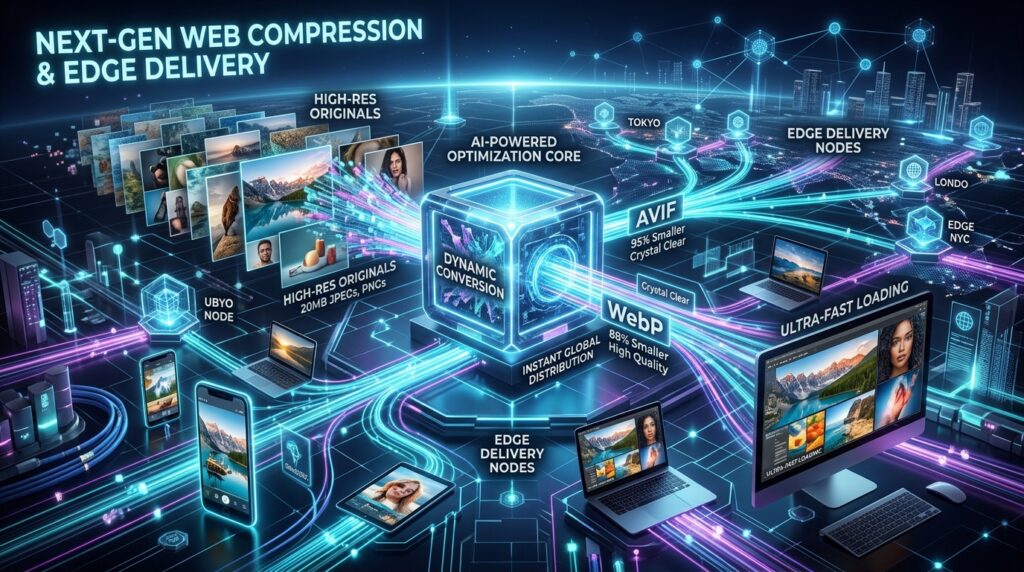
High-resolution visual media is critical for brand storytelling and e-commerce conversions. However, unoptimized image assets remain the number-one cause of slow Largest Contentful Paint (LCP) times and bloated page weight. At PixaQuant, we implement automated next-generation image encoding pipelines that compress image payloads by over 70% while preserving crisp visual clarity.
1. The Next-Gen Format Revolution: JPEG vs. WebP vs. AVIF
| Format | Average Compression vs JPEG | Browser Support | Best Suited For |
|---|---|---|---|
| Legacy JPEG / PNG | Baseline (0%) | 100% (Universal) | Fallback for legacy clients |
| WebP | 25% – 35% Smaller | 97%+ (All Modern Browsers) | General web illustrations & photos |
| AVIF (AV1 Image File) | 50% – 60% Smaller | 94%+ (Chrome, Safari, Firefox) | High-resolution hero photography & banners |
2. Implementing Semantic HTML5 `` Elements
To deliver the most advanced supported image format while ensuring seamless fallback for older devices, we generate responsive picture syntax:
<!-- Responsive Next-Gen Image Delivery -->
<picture>
  <!-- Modern browsers load ultra-lightweight AVIF -->
  <source type="image/avif" srcset="/images/hero-mobile.avif 480w, /images/hero-desktop.avif 1200w" sizes="(max-width: 600px) 480px, 1200px" />
  <!-- Fallback to WebP -->
  <source type="image/webp" srcset="/images/hero-mobile.webp 480w, /images/hero-desktop.webp 1200w" sizes="(max-width: 600px) 480px, 1200px" />
  <!-- Legacy fallback img tag with explicit dimensions -->
  <img src="/images/hero-desktop.jpg" width="1200" height="675" alt="PixaQuant Enterprise Web Engineering" loading="eager" fetchpriority="high" class="rounded-xl w-full" />
</picture>
3. Automated Edge Optimization Pipeline
Rather than running CPU-heavy batch conversion scripts on the primary web server, our production architecture delegates image resizing, WebP/AVIF format negotiation, and sharpening to edge CDN transforms (Cloudflare Images / Fastly Image Optimizer).
4. Frequently Asked Questions (FAQ)
Should hero images above the fold be lazy-loaded?
Never lazy-load hero images above the fold. Always set `loading=”eager”` and `fetchpriority=”high”` on primary hero images to achieve the fastest possible Largest Contentful Paint (LCP).
How do missing image dimensions cause Cumulative Layout Shift (CLS)?
If an `<img>` tag lacks explicit width and height attributes, the browser allocates zero vertical space until the file finishes downloading, causing surrounding text to jump and penalizing CLS scores.
5. Accelerate Your Website Performance with PixaQuant
Pass Core Web Vitals with flying colors and deliver lightning-fast browsing experiences to your customers. Explore PixaQuant’s Performance Optimization Services or contact our web performance team today.
4. High-Performance SVG Sanitization & Inline Optimization
In addition to photographic media, modern web applications rely heavily on SVG vector icons and illustrations. Unoptimized SVGs can introduce malicious XSS scripts and unnecessary XML bloat:
- Automated SVGO Minification: Strip redundant editor metadata, hidden layers, and unnecessary XML namespaces, reducing SVG file size by up to 60%.
- Server-Side SVG Sanitization: Sanitize user-uploaded vector graphics using strict DOMPurify pipelines to strip dangerous
<script>andonloadattributes before serving. - CSS Sprites & Symbol Sheets: Group UI icons into a single cached SVG symbol sprite to eliminate dozens of individual HTTP network requests.
5. Critical Image Preloading Strategies for Sub-1s LCP
Even with next-generation AVIF compression, delivering sub-second Largest Contentful Paint (LCP) requires strategic resource prioritization in the document <head>:
- Preloading the Main Hero Banner: Inject
<link rel="preload" as="image" href="/hero.avif" type="image/avif" fetchpriority="high">into the HTML head so the browser begins downloading the primary visual asset before parsing body CSS. - Responsive Preload Syntax: Use media queries within preload tags so mobile devices preload the 480px variant while desktop displays preload the 1200px variant.
- Decoupling Decorative Backgrounds: Shift non-essential decorative background textures and ambient gradients to pure CSS gradients, reserving network bandwidth exclusively for core content imagery.